

Video Trimmer
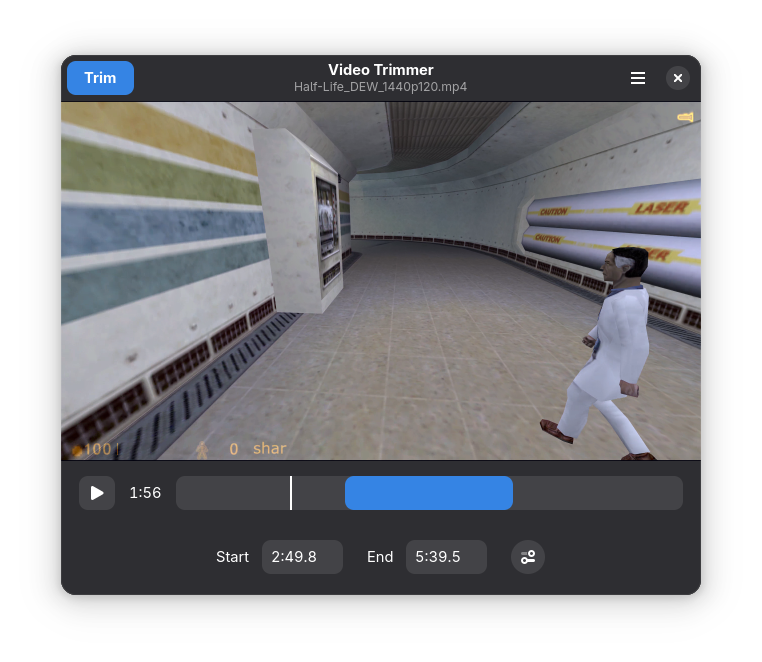
Read our comprehensive review of Video Trimmer for Linux. Learn how this powerful utility cuts video files instantly without any quality loss.
If you have ever needed to quickly slice a long video down to just its best parts, you know how frustrating it is to wait for a heavy video editor to re-encode the entire file. The Video Trimmer lossless video cutter solves this exact problem for Linux users by focusing on a single, crucial task: cutting out unwanted footage instantly.
Why the Video Trimmer Lossless Video Cutter is a Game Changer
Developed by Ivan Molodetskikh, this utility is built for speed and simplicity. Unlike traditional video editors that decompress and re-render your footage, this application works directly on the existing video stream. By bypassing the re-encoding process entirely, it delivers two massive benefits:
- Instant Export: Because there is no rendering involved, saving your trimmed clip takes only a fraction of a second.
- Zero Quality Loss: Your output video retains the exact bitrate, resolution, and visual fidelity of the original file.
Streamlined Interface for Rapid Editing
The design philosophy behind the Video Trimmer lossless video cutter is centered around minimalism. There are no complex timelines, audio mixing tracks, or transition libraries to navigate. You simply load your video file, set your precise start and end timestamps using the intuitive visual timeline, and hit the trim button. It is the perfect tool for cleaning up screen recordings, trimming smartphone footage, or preparing clips for social sharing.
Who is This Utility For?
This application is an essential addition to your Linux toolkit if you are:
- A content creator who needs to quickly extract raw footage highlights.
- A professional looking to trim presentation or meeting recordings without losing original quality.
- An everyday user wanting to save storage space by discarding unnecessary parts of large video files.
How to Get Started
If you are looking for a lightweight, single-purpose tool that respects your time and your system resources, this software is highly recommended. To explore its features and integrate it into your media workflow, visit the official Flathub store page to learn more and install the application on your system.