
zFuse - Play For Everything



Discover zFuse for macOS, a powerful and lightweight media player. Read our comprehensive review to see how it handles all your video and audio formats.
The Ultimate Lightweight Media Player for macOS
Finding a media player that balances raw power with a lightweight footprint can be a challenge for Mac users. Enter zFuse macOS media player, a versatile utility developed by s-joys Technology Co., Ltd. designed to handle virtually any file format you throw at it. Whether you are a casual viewer or a media enthusiast with a massive library of high-definition content, this application aims to streamline your playback experience without bogged-down performance.
Who is the zFuse macOS Media Player For?
This software is particularly beneficial for users who manage diverse media libraries containing uncommon file extensions. If you routinely deal with multiple subtitle tracks, high-dynamic-range content, or even direct Blu-ray ISO files, the zFuse macOS media player offers the precise control you need. It serves as an excellent upgrade for anyone frustrated by the native format limitations of default macOS players.
Advanced Video and Audio Control
The application stands out due to its deep customization options and hardware-accelerated playback. Here are some of the key capabilities you can expect:
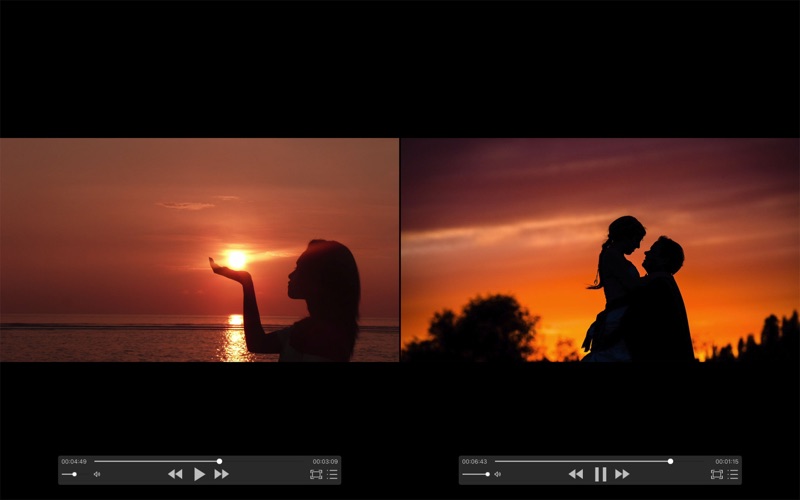
- Multitasking Playback: Play multiple video and audio files simultaneously in separate windows.
- HDR Tone Mapping: Enjoy rich HDR content even if you are viewing it on a standard, non-HDR monitor.
- Precision Subtitle Syncing: Easily adjust external subtitle tracks (supporting SRT, SSA, ASS, and SUP) and customize fonts for optimal readability.
- Flexible Audio Output: Switch audio channels, adjust sample rates, and utilize the built-in audio enhancement tools.
- Broad Format Support: Seamlessly load video formats like MP4, MOV, MKV, AVI, WMV, and FLV, alongside lossless audio formats such as FLAC and APE.
User-Friendly Shortcuts and Navigation
Navigating through your media is highly intuitive. The player supports quick double-click actions to toggle fullscreen mode, spacebar commands to pause or play, and scroll-to-zoom functionality ranging from 0.5x to 5.0x. Variable speed playback controls also allow you to speed up or slow down tutorials and lectures from 0.5x to 3.0x without losing audio clarity.
Our Editorial Verdict
The zFuse macOS media player successfully delivers on its promise of being simple yet exceptionally powerful. By utilizing hardware acceleration, it keeps CPU usage low while delivering smooth playback of high-bitrate files. While the free edition features startup prompts encouraging users to upgrade, the sheer depth of features available makes it a highly competitive option in the macOS media category. To try it out and see how it elevates your viewing setup, visit the official Apple App Store to download the application directly.